 |
| Category >>
Delay
|
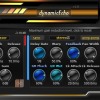
| dynamicEchoFree |
Stereo Input / Mono Input – Select whether the incoming signal is processed in stereo or averaged to mono before entering the delay engine.
Warp Mode – Adjust the signal on the right channel relative to the left:
Stereo for wider, layered echo effect
Ping-Pong for bouncing delays across stereo channels
Sync to Host – When enabled, the delay time follows the host tempo
|
|
|
 |
| Category >>
Delay
|
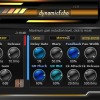
| dynamicEcho |
Stereo Input / Mono Input – Select whether the incoming signal is processed in stereo or averaged to mono before entering the delay engine.
Warp Mode – Adjust the signal on the right channel relative to the left:
Stereo for wider, layered echo effect
Ping-Pong for bouncing delays across stereo channels
Sync to Host – When enabled, the delay time follows the host tempo
|
|
|
 |
| Category >>
Delay
|
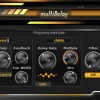
| multiDelayFree |
multiDelay offer you 3 additional serial delays as child delays! Check professional version here with 15 additional delays.
Key Features and Parameters:
Delay Time
Set the main delay time in milliseconds or sync it to your DAW's tempo for rhythmically precise effects.
Warp Control
Adjust the signal on the right channel relative to the left.
Choose between two warp types:
- Ping-Pong for bouncing delays across stereo channels.
- Stereo for wider, layered echo effects
|
|
|
 |
| Category >>
Delay
|
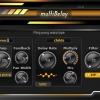
| multiDelay |
multiDelay offer you 15 additional serial delays as child delays!
Key Features and Parameters:
Delay Time
Set the main delay time in milliseconds or sync it to your DAW's tempo for rhythmically precise effects.
Warp Control
Adjust the signal on the right channel relative to the left.
Choose between two warp types:
- Ping-Pong for bouncing delays across stereo channels.
- Stereo for wider, layered echo effects
|
|
|
|
|





 3LufsMeter


