 |
| Category >>
Delay
|
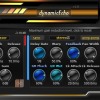
| dynamicEchoFree |
Release – Controls how quickly compression returns to unity gain after the signal falls below the threshold.
Dynamic Delay Section
The delay engine generates the spatial echo effect and can be dynamically shaped
by the GR (Gain Reduction) Link system.
Stereo Input / Mono Input – Select whether the incoming signal is processed in stereo or averaged to mono before entering the delay engine.
Warp Mode – Adjust the signal on the right channel relative to the left:
Stereo for wider
|
|
|
 |
| Category >>
Delay
|
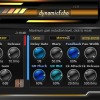
| dynamicEcho |
Release – Controls how quickly compression returns to unity gain after the signal falls below the threshold.
Dynamic Delay Section
The delay engine generates the spatial echo effect and can be dynamically shaped
by the GR (Gain Reduction) Link system.
Stereo Input / Mono Input – Select whether the incoming signal is processed in stereo or averaged to mono before entering the delay engine.
Warp Mode – Adjust the signal on the right channel relative to the left:
Stereo for wider
|
|
|
 |
| Category >>
Distortion
|
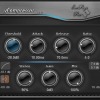
| yCompressor |
ion starts
Detection (Linear/Logarithmic) – selects how the input signal level is detected
Attack – controls how fast the compressor responds to transients
Release – defines how quickly gain reduction is released
Ratio – determines the amount of compression applied
Stereo – controls stereo channel linking and behavior
Gain – output level compensation
Mix – dry/wet balance for parallel compression
Side Chain – enables compression triggered by an external or filtered signal
Design Philosophy
yCompressor is built around the idea of d
|
|
|
 |
| Category >>
Delay
|
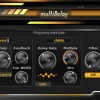
| multiDelayFree |
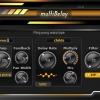
Delay Time
Set the main delay time in milliseconds or sync it to your DAW's tempo for rhythmically precise effects.
Warp Control
Adjust the signal on the right channel relative to the left.
Choose between two warp types:
- Ping-Pong for bouncing delays across stereo channels.
- Stereo for wider, layered echo effects.
Feedback
Control the amount of signal sent back into the delay line to create longer or shorter decays.
Pan Width
Widen or narrow the stereo field of the delayed signal, helping to create immersive or focused echoes
|
|
|
 |
| Category >>
Delay
|
| multiDelay |
Delay Time
Set the main delay time in milliseconds or sync it to your DAW's tempo for rhythmically precise effects.
Warp Control
Adjust the signal on the right channel relative to the left.
Choose between two warp types:
- Ping-Pong for bouncing delays across stereo channels.
- Stereo for wider, layered echo effects.
Feedback
Control the amount of signal sent back into the delay line to create longer or shorter decays.
Pan Width
Widen or narrow the stereo field of the delayed signal, helping to create immersive or focused echoes
|
|
|
 |
| Category >>
Mastering
|
| 3LufsMeter |
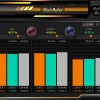
SaschArt introducing 3LufsMeter - Three Band LUFS Analyzer, a groundbreaking audio plugin that revolutionizes the way you measure and balance loudness in your music productions. Designed to provide unprecedented control and precision, 3LufsMeter offers an innovative approach to LUFS measurement...
|
|
|
 |
| Category >>
Stereo
|
| eChorus |
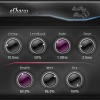
SaschArt offers you for free a special audio plugin, very easy-to-use, that offers you a maximum benefits. Whether working on a subtle background effect or a lead part, eChorus offer you every time an amazing sound. This with a low record consumption of resources: CPU, RAM and HDD!
Ready to...
|
|
|
 |
| Category >>
Mastering
|
| loudnessMeterFree |
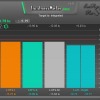
SaschArt introducing an user friendly audio plugin designed for loudness (LUFS) analysis with a visual interface contain five measuring bars. This plugin make analyzing per each channel and show the difference of left-right for optimal stereo balancing
|
|
|
 |
| Category >>
Mastering
|
| loudnessMeter |
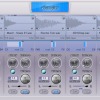
This plugin features detailed curves for integrated LUFS, short-term, momentary, LRA, as well as integrated LUFS on both channels. Additionally, it displays the difference between the two channels for optimal stereo balancing.
Achieve perfect loudness balance and professional-grade audio production with loudnessMeter.
Key Features:
Information Label: Quickly view useful informations.
Target Loudness Slider: Effortlessly set your desired loudness target.
Target Setting Switch
|
|
|
 |
| Category >>
Sampler
|
| YSampler2 |
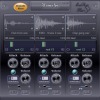
YSampler it's a simple and easy-to-use sampler for those who want to save their resources using five samples. Provides unique stereo dynamics and multiplying of semitones interval.
Use
YSampler to make your work easier with great results.
Features
|
|
|
 |
| Category >>
Sampler
|
| 3Sampler |
3Sampler it's a simple and easy-to-use sampler for those who want to save their resources using only three samples. Provides unique stereo dynamics.
Use 3Sampler where you only need three samples.
Features:
Three boxes with a visual audio profile for samples
|
|
|
 |
| Category >>
Delay
|
| reverseDelay |
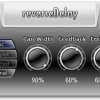
Reverse delay with enhanced stereo delay, ping pong and low pass filter. Extremely low resources taken!
Unique and original delay.
Features:
Delay play on alternate left right.
Stereo enhanced by Pan Width knob.
Low pass filter.
Host sync delay rate and free time rate
|
|
|
 |
| Category >>
Stereo
|
| easyReverb |
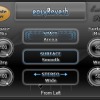
at zero the change of space does not produce any effects on the sound, and at 100% it produces maximum effects when changing.
Accent for surface which amplifies or decrease the specific features of the selected surface. The accent is unique in the reverb world and is very handy.
Stereo selector which offers 8 different algorithms for stereo reflections: Mono, Wide, Inflate, Squeeze, Cone, Reverse Cone, Steps and Reverse Steps.
Features:
8 distinct acoustic spaces: Arena, Cathedral, Hallway, Corridor, Chamber, Metallic Box, Special Fly and Special Explosion
|
|
|
 |
| Category >>
Stereo
|
| sReverb |
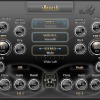
at zero the change of space does not produce any effects on the sound, and at 100% it produces maximum effects when changing.
Accent for surface which amplifies or decrease the specific features of the selected surface. The accent is unique in the reverb world and is very handy.
Stereo selector which offers 8 different algorithms for stereo reflections:
Mono, Wide, Inflate, Squeeze, Cone, Reverse Cone, Steps and Reverse Steps.
Features:
60 distinct acoustic spaces from Stadium, Canion, Cave, Forest to Special spaces like Fly, Fireworks, Ratchet and Explosion
|
|
|
 |
| Category >>
Mastering
|
| easyLimiter |
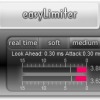
easyLimiter for easy mastering. Output audio limiting, stereo link, release of attenuation and few type of limiting. Show maximum attenuation.
All what you need to clean disturbing sounds.
Made based on our research in the field of wave attenuation of high peak that creates problems audition
|
|
|
 |
| Category >>
Stereo
|
| panOscillator |
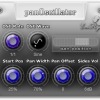
panOscillator make pan position oscillating and enhance your stereo signal. Extremely low resources taken!
Features:
Pan out oscillator from left to right.
Host synchronization oscillator.
Pan width for stereo enhanced.
Pan offset to play around.
Start position which can make phase shift
|
|
|
1 2 next 
|





 3LufsMeter


