 |
| Category >>
Delay
|
| dynamicEchoFree |
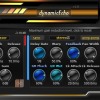
dynamicEcho: A Delay That Follows Your Input Dynamics
dynamicEcho is a dynamic delay plugin where
gain reduction analyzed in the compression section drives the behavior of the delay engine.
Unlike traditional static or dynamic delays limited to the level of the processed signal
|
|
|
 |
| Category >>
Delay
|
| dynamicEcho |
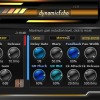
dynamicEcho: A Delay That Follows Your Input Dynamics
dynamicEcho is a dynamic delay plugin where
gain reduction analyzed in the compression section drives the behavior of the delay engine.
Unlike traditional static or dynamic delays limited to the level of the processed signal
|
|
|
 |
| Category >>
Distortion
|
| yCompressor |
allowing
fast and intuitive operation while remaining extremely light on system resources.
Features
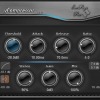
Threshold – sets the level at which compression starts
Detection (Linear/Logarithmic) – selects how the input signal level is detected
Attack – controls how fast the compressor responds to transients
Release – defines how quickly gain reduction is released
Ratio – determines the amount of compression applied
Stereo – controls stereo channel linking and behavior
Gain &ndash
|
|
|
 |
| Category >>
Delay
|
| multiDelayFree |
VST3 and AU
Changelog:
1.1 (2025-06-08)
FIXED: a few incompatibilities
1.0 (2025-06-03)
Initial release
User Manual:
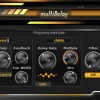
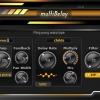
Here you get messages information when go over the knobs with the mouse.
Button to change the input type: stereo or mono.
Set the main delay time.
Sync delay time to your DAW's tempo.
Warp knob: adjust the signal on the right channel relative to the left.
Warp type: ping-pong or stereo.
Feedback
|
|
|
 |
| Category >>
Delay
|
| multiDelay |
VST3 and AU
Changelog:
1.1 (2025-06-08)
FIXED: a few incompatibilities
1.0 (2025-06-03)
Initial release
User Manual:
Here you get messages information when go over the knobs with the mouse.
Button to change the input type: stereo or mono.
Set the main delay time.
Sync delay time to your DAW's tempo.
Warp knob: adjust the signal on the right channel relative to the left.
Warp type: ping-pong or stereo.
Feedback
|
|
|
 |
| Category >>
Mastering
|
| 3LufsMeter |
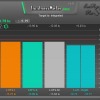
Educational Use: Ideal for music production courses, helping students understand the importance of loudness and frequency balance in modern music production.
Tips for use:
You can get useful informations by hovering over the knobs with the mouse.
For keyboard input: right-click on the knob, input the value from the keyboard, then press enter
To reset to the default value: double-click on the knob.
Requirements:
DAW (VST2 or VST3 host), Windows 32/64bits or MacOS VST2
|
|
|
 |
| Category >>
Mastering
|
| loudnessMeterFree |
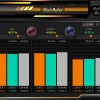
Easily toggle between integrated, maximum short-term, or maximum momentary LUFS targets.
LUFS Value Boxes: Clearly displays LUFS values for all important parameters.
Data Memory Button: Retain data for the next play session.
Data Clear Button: Easily reset all data.
Audio Input Analysis Mode: Analyze loudness only when audio input is detected, even without playback.
What is special:
Stereo LUFS Display: Shows LUFS values for left and right channels, and their difference for precise stereo balancing.
Multiple Target Comparison
|
|
|
 |
| Category >>
Mastering
|
| loudnessMeter |
or maximum momentary LUFS targets.
LUFS Value Boxes: Clearly displays LUFS values for all important parameters.
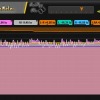
Comprehensive Graphs: Provide detailed visual feedback on loudness.
Data Memory Button: Retain data for the next play session.
Data Clear Button: Easily reset all data.
Audio Input Analysis Mode: Analyze loudness only when audio input is detected, even without playback.
Resizable Graphs: Adapt to the entire length of your area for better visualization.
What is special:
Dynamic Graph Time: Graphs that extend across the entire length of your track
|
|
|
 |
| Category >>
Mastering
|
| lufsLimiter |
TV networks, and online streaming platforms seeking to comply with loudness standards while preserving audio quality.
Film and Video: Maintain balanced audio levels in film and video projects, enhancing dialogue clarity and overall sound design.
Key Features at a Glance:
Input gain, attack and release knob.
Look ahead to prepare the envelope before the lufs peaks appear. Look ahead feature mean delay on input, use it only on master.
Knob to set the size of window meter.
Out limit knob to set the maximum output of track Lufs.
Graphics of input loudness
|
|
|
 |
| Category >>
Mastering
|
| lufsLimiterFree |
and per track it shouldn't exceed 4-5dB. Of course, there are exceptions.
It is good that the attack is shorter than the release for a quick response.
You can discover valuable information by hovering over the knobs with the mouse.
For keyboard input: hover over the knob, right-click, input the value from the keyboard, then press enter
To reset to the default value: double-click on the knob.
Requirements:
DAW (VST2 or VST3 host), Windows 32/64bits or MacOS VST2, VST3 and AU
Changelog:
1
|
|
|
 |
| Category >>
Therapy
|
| IsochronicAscension |
8% (phi number).
Tips:
You can also discover valuable information by hovering over the knobs with the mouse.
For keyboard input: hover over the knob, right-click, input the value from the keyboard, then press enter.
To reset to the default value: double-click on the knob.
|
|
|
 |
| Category >>
Therapy
|
| BinauralAscension |
Tips:
You can also discover valuable information by hovering over the knobs with the mouse.
For keyboard input: hover over the knob, right-click, input the value from the keyboard, then press enter.
To reset to the default value: double-click on the knob.
|
|
|
 |
| Category >>
Sampler
|
| PluginsMonitor |
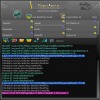
Load the plugin, click on the related box (6), then just click on the NET icon in the tool (7) that appears under the plugin boxes.
Tips:
You can also discover valuable information by hovering over the knobs with the mouse.
For keyboard input: hover over the knob, right-click, input the value from the keyboard, then press enter.
To reset to the default value: double-click on the knob.
© Copyright
This security concept is intelectual property by EmRysRa
|
|
|
 |
| Category >>
Sampler
|
| PluginsMonitorFree |
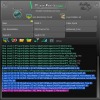
Load the plugin, click on the related box (6), then just click on the NET icon in the tool (7) that appears under the plugin boxes.
Tips:
You can also discover valuable information by hovering over the knobs with the mouse.
For keyboard input: hover over the knob, right-click, input the value from the keyboard, then press enter.
To reset to the default value: double-click on the knob.
© Copyright
This security concept is intelectual property by EmRysRa
|
|
|
 |
| Category >>
Therapy
|
| binauralBeatsHarmonics |
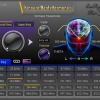
Tips:
Also you can find useful information if you go over the knobs with the mouse.
Value input from keyboard: go over the knob and right click, insert value from keyboard then hit enter.
Set default value: double click on the knob.
|
|
|
 |
| Category >>
Sampler
|
| YSampler2 |
8 (decimal seconds)
loop_mode=no_loop || loop_continuous || loop_sustain
direction=reverse || any word
pan=-80 (-100 left, 100 right)
pan_alternate=yes || any word
Tips:
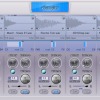
Value input by key: over to any knob and right click, insert value by key then hit enter
Also click left on the note to change its value by key.
Set default value: double click on the knob
Requirements:
DAW (VST host), Windows 32/64bits or MacOS VST and AU
Changelog:
2
|
|
|
1 2 3 next 
|





 3LufsMeter


