 |
| Category >>
Delay
|
| dynamicEchoFree |
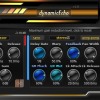
Threshold – sets the level at which compression starts.
Attack – controls how fast the compressor responds to transients.
Release – defines how quickly gain reduction is released.
Ratio – determines the amount of compression applied.
Gain – output level compensation.
Sync delay time to your DAW's tempo.
Button to change the input type: stereo or mono.
Warp type: ping-pong or stereo.
Set the main delay time.
Warp knob: adjust the signal on the right channel relative to the left.
Feedback
|
|
|
 |
| Category >>
Delay
|
| dynamicEcho |
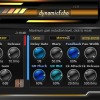
Threshold – sets the level at which compression starts.
Attack – controls how fast the compressor responds to transients.
Release – defines how quickly gain reduction is released.
Ratio – determines the amount of compression applied.
Gain – output level compensation.
Sync delay time to your DAW's tempo.
Button to change the input type: stereo or mono.
Warp type: ping-pong or stereo.
Set the main delay time.
Warp knob: adjust the signal on the right channel relative to the left.
Feedback
|
|
|
 |
| Category >>
Distortion
|
| yCompressor |
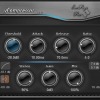
s detected
Attack – controls how fast the compressor responds to transients
Release – defines how quickly gain reduction is released
Ratio – determines the amount of compression applied
Stereo – controls stereo channel linking and behavior
Gain – output level compensation
Mix – dry/wet balance for parallel compression
Side Chain – enables compression triggered by an external or filtered signal
Design Philosophy
yCompressor is built around the idea of doing exactly what is needed—and nothing more
|
|
|
 |
| Category >>
Sampler
|
| PluginsMonitorFree |
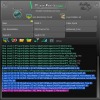
Keep in mind that certain
plugins with multiple modules require the commercial version for comprehensive
scanning.
Unfortunately, Apple OS's security system doesn't support cross-module
scanning. This system has a drawback: plugins cannot be scanned and there is no
security checking in compensation. So PluginsMonitor cannot work on this operating system.
PluginsMonitor works across audio protocols. For instance, VST2
PluginsMonitor can scan VST3 and other plugin types.
Platform bridging between x32 and x64 isn't seamless. If your DAW is x32
bits, use the x32 version of PluginsMonitor
|
|
|
 |
| Category >>
Filter
|
| adsrFilter |
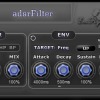
adsrFilter is a filter with ADSR envelope which can modulate filter frequency, bandwidth and filter mix! Extremely low resources taken!
Features:
One filter with lowpass, highpass and bandpass.
Bandwidth and filter mix.
ADSR envelope with unique up/down mode.
Volume compensation for ADSR with cresc
|
|
|
 |
| Category >>
Filter
|
| adsrFilterPro |
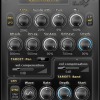
pan position and filter mix
ADSR envelope with unique up/down mode
One LFO working synchronously host or free with start position of oscillating.
Sync host to free correlating after SYNC button click.
LFO can work as ADSR child around the position made by ADSR.
Volume compensation for ADSR and LFO with crescendo side to right, left or both
Visualization of modulated parameter value.
Visualization of active modules.
Presets for uplifting, glissando, vibrato, tremolo and many others.
Free for 60 seconds.
Tips:
Value input from keyboard
|
|
|
|
|





 3LufsMeter


